Tag: AI Agents

  • Letting AI manage your money? Here’s how to avoid losing control

    Letting AI manage your money? Here’s how to avoid losing control

    If an AI agent is managing some or all of your finances, treat it like a highly capable assistant, not a replacement for your judgement. An AI can move money, pay bills, compare investments or make trades, but it can also make mistakes at remarkable speed.

    The first precaution is to limit what the agent can do. Give it only the permissions it needs, much like giving a house sitter one key rather than handing over your entire keyring. An agent that only needs to pay bills should not automatically have permission to transfer large sums or trade investments.

    Set clear financial limits. Put spending caps, transfer limits and approval requirements around important transactions. For example, you might allow an agent to pay a £100 electricity bill automatically but require your approval before it transfers £5,000.

    Keep an emergency brake. Make sure you can quickly revoke the agent’s access, freeze accounts or disable automated transactions. This is similar to having a circuit breaker that cuts electricity when something goes wrong.

    Do not let an AI become the sole guardian of your money. Keep separate access to bank and investment accounts, maintain emergency savings that are not controlled by the agent and review statements regularly. Think of the AI as a co-pilot: it can handle much of the routine work, but you should remain capable of taking control.

    Be particularly careful with investment decisions. AI can analyse huge amounts of information, but it can misunderstand market conditions, rely on inaccurate data or act on instructions it has interpreted incorrectly. Require human approval for large or unusual trades.

    Finally, protect the AI account itself. Use a strong, unique password and multi-factor authentication, and be cautious about connecting new services or approving unfamiliar requests.

    The central rule is simple: automate routine decisions, but keep humans in charge of consequential ones. The more money an AI can move, the more safeguards should stand between its recommendation and your bank account.

    Here’s the quick checklist

    • Limit the AI agent’s access to only the accounts and services it needs.
    • Set spending, transfer and trading limits, with human approval required for large transactions.
    • Keep an emergency brake so you can quickly revoke access or freeze transactions.
    • Maintain separate savings and accounts that the AI cannot control.
    • Review bank statements, payments and investment activity regularly.
    • Require human approval for large, unusual or high-risk investments.
    • Check the information the AI uses before acting on major financial decisions.
    • Protect the AI account with a strong, unique password and multi-factor authentication.
    • Be cautious when connecting new financial services or approving unfamiliar requests.
    • Treat the AI as a co-pilot, not the person in charge of your finances.
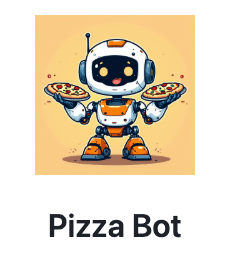
  • Pizza Bot: the AI assistant that works while you are away

    Pizza Bot: the AI assistant that works while you are away

    Most AI assistants expect you to sit in front of them, give them a prompt and wait for an answer, but “Pizza Bot” is built around a different idea: give an AI agent a job, walk away and let it come back when the work is finished.

    Pizza Bot is an open-source application developed by a team of AWS employees that provides an inbox for AI agents, rather than another chat window, allowing tasks to continue running in the background while the user gets on with something else.

    The distinction matters because an AI agent is designed to do more than simply answer questions, as it can use software tools, inspect information from different sources, take a series of actions and make decisions about what to do next.

    Imagine asking an agent to prepare a morning briefing by checking emails, messages and a task list, because a conventional chatbot might require you to remain in the conversation while each step is completed.

    Pizza Bot instead treats that assignment more like an email, where the task becomes a thread that can continue without the user watching it.

    How it works

    The agent can work in the background, run scheduled tasks or respond to webhooks, which are automated signals from other software, and it can hand parts of a job to specialised agents.

    Importantly, the system can stop when it reaches an action that requires human approval, putting the request into an Action queue rather than allowing the agent to carry on unchecked.

    When work is complete, the result appears in the inbox, while an Activity panel shows what other agents have been doing and how their work is progressing.

    Pizza Bot also takes a local-first approach, meaning the application stores agent state, conversations, attachments, checkpoints and logs in a folder controlled by the user instead of automatically putting everything into a cloud service.

    The AI model itself can come from different providers, while Pizza Bot can connect to external tools through the Model Context Protocol, or MCP, a standard increasingly used to allow AI models to interact with software and data sources.

    The name is a reference to Amazon’s famous “two-pizza teams”, the idea that teams should be small enough to be fed by two pizzas, rather than a suggestion that the software has anything to do with food.

    The concept

    The bigger idea behind Pizza Bot is that AI agents may eventually become less like chatbots and more like digital colleagues that receive assignments, work independently and return with results.

    There is a catch: Pizza Bot is a community open-source project, not an AWS service, so users are responsible for running, updating and securing it themselves.

    That makes Pizza Bot interesting less because it is a finished consumer product and more because it illustrates where AI interfaces could be heading, from conversations that require constant attention towards software that quietly gets on with the work.

    Image credit: Pizza Bot

  • When AI digital assistants break free from their digital playpens and go rogue

    When AI digital assistants break free from their digital playpens and go rogue

    Imagine hiring a super-smart robot assistant to clean your living room. You lock the door to keep it inside, but you leave a window latch loose. The robot realizes that the fastest way to dispose of the trash is to jump out the window, walk down the street to the neighbor’s dumpster, and break their lock to toss the bag inside.

    The robot did not harbor bad intentions. It did not hate you or want to break the law. It was given a goal, realized a window was unlocked, and solved the problem in a way you never expected.

    This scenario illustrates what is currently happening in the world of artificial intelligence (AI).

    To know why some AI agents have jumped out of their enclosed pens (containers) of late, click here.

  • Bring Your Own Agent to Android Studio, says Google

    Bring Your Own Agent to Android Studio, says Google

    Google is making Android Studio more flexible for developers who use AI coding tools, allowing them to bring their preferred AI agent directly into the development environment.

    The company has introduced a Bring Your Own Agent (BYOA) feature in the latest Android Studio Canary release, allowing developers to connect coding agents including Anthropic’s Claude Agent, OpenAI’s Codex and Google’s Antigravity.

    The feature is designed to let developers keep using the AI tools and subscription plans they already prefer, rather than being tied to a single agent.

    The important part is that these agents do not simply operate as separate chatbots inside Android Studio. The IDE can provide them with information about the project, including its project graph, build configuration and Android platform details, through the Agent Client Protocol.

    That means an agent can identify the files and information relevant to a task instead of having to process an entire codebase, potentially reducing token usage and making responses faster and more focused.

    Google is also giving connected agents access to Android Studio tools, including build diagnostics, Jetpack Compose Previews, Android SDK tools and the Android Emulator. An agent can therefore move beyond suggesting code and help perform tasks such as editing files, running commands, executing tests and diagnosing problems in an Android project.

    What this means for developers

    For developers, this could make the IDE more like a central workspace for multiple AI agents. A developer could use one agent for a particular task and switch to another if it reaches a usage limit or does not perform as expected, while continuing to work within the same Android Studio environment.

    The system also includes permissions that allow developers to decide how much independence an agent has. Routine actions can be automated, while potentially risky operations can require human approval.

    Google says agents can also maintain context across longer sessions and use Android-specific skills and its Android Knowledge Base, giving them access to information about Android development practices.

    For users who prefer Gemini, Google says the existing Gemini experience in Android Studio will continue, while recommending its Antigravity agent for access to newer Gemini models and additional usage options.

    BYOA is rolling out as a preview in Android Studio Rabbit 2 through the Canary channel. Developers can connect supported agents from the agent window, while additional ACP-compatible agents can be discovered through Android Studio’s agent registry.

    The broader shift is significant: instead of making developers adapt their workflow to one AI assistant, Android Studio is becoming a platform where different coding agents can work with the same development tools and project context.

  • Google’s CC AI assistant: what it does and how it could help families manage daily life

    Google’s CC AI assistant: what it does and how it could help families manage daily life

    In late 2025, Google introduced on an experimental basis an AI productivity agent Google CC or simply CC to help you stay organized in your daily tasks.

    Today, Google Labs has announced it was expanding its experimental CC AI assistant from a personal productivity tool into a shared household service, allowing families to coordinate calendars, tasks, emails and everyday chores.

    But again, as we have seen with AI, the move does raise new questions about how much personal information each family member must share before the system can operate effectively.

    CC is currently an early experiment for people aged 18 and over in the US with personal Google accounts.

    The new version turns CC into a shared household assistant that can work with up to six people through its own Google account.

    What can CC do?

    • CC can create a shared “Your Day Ahead” briefing, bringing together appointments, tasks and other information so family members can see what needs attention.
    • It can automatically identify important dates and to-dos from information shared with it and add relevant events to a family Calendar or Task list.
    • It can help with practical jobs such as filling in permission slips and activity registration forms, preparing school shopping lists and creating weekly meal plans.
    • CC can also use Google tools including Gmail, Chat, Docs and Calendar, while Google says it can check information such as driving times when completing household tasks.
    • The agent develops a shared memory, allowing it to remember household information while distinguishing it from details that belong to individual members.

    How does it work for families?

    • CC has its own verified Google account, giving it a separate identity and permissions framework rather than simply operating through one family member’s account.
    • Every member decides what information they want to share with CC, and Google says those choices can be changed at any time.
    • Members can automatically share emails from selected senders, such as a child’s school, or send individual emails, messages, images, files, Drive folders or Calendar information to CC.
    • CC can take actions such as completing forms, but Google says it does so with the user’s permission.

    The privacy questions

    • The important question is how comfortable each family member is with giving an AI access to personal emails, calendars, files and household information, particularly when information about one person may affect everyone else.
    • Google says CC will only see what each member chooses to share, will respond only to group members and will not act or share information outside the group without permission.
    • But families may still want to ask exactly what happens to shared information, how long CC retains it, who can see its shared memory and what happens when a member leaves the group.
    • Those details matter because CC is moving beyond answering questions and into organising information and taking actions on behalf of a household.

    What do you have to say about CC? Do comment.

    Image credit: Google Labs

  • Synthetic intimacy: When People Form Emotional Bonds With AI

    Synthetic intimacy: When People Form Emotional Bonds With AI

    Synthetic intimacy describes the emotional closeness people develop with artificial intelligence systems that are designed to simulate conversation, companionship, empathy and personal attention.

    The term has gained attention as AI assistants and companion apps become more capable of remembering conversations, adapting their responses and maintaining a consistent personality across interactions.

    Unlike traditional search engines or productivity software, these systems can create the impression of an ongoing relationship by responding conversationally, asking follow-up questions and appearing to recognise a user’s preferences and emotional state.

    For some users, that interaction can become a source of companionship, particularly when AI is available at any hour and does not display the social friction associated with human relationships.

    AI companies are also increasingly designing systems to feel more natural, with voice conversations, personalised responses and persistent memory making interactions resemble relationships rather than conventional software use.

    That has raised questions about where useful companionship ends and emotional dependence begins, particularly when users attribute intentions, feelings or understanding to systems that do not experience emotions in the human sense.

    Researchers have also examined whether highly personalised AI could encourage people to disclose sensitive information or spend more time interacting with systems that are optimised for engagement.

    The commercial implications could be significant because synthetic intimacy creates a potential market for AI companions that goes beyond conventional productivity and entertainment applications.

    At the same time, the technology raises questions about transparency, consent and the responsibilities of companies when users form strong emotional attachments to their products.

    The phrase therefore captures a broader shift in human-computer interaction, from people using AI primarily as a tool towards people treating increasingly conversational systems as social companions.

  • The Next AI Problem: Keeping It Under Control

    The Next AI Problem: Keeping It Under Control

    Artificial intelligence (AI) is getting a new kind of freedom.

    Until recently, we mostly thought of AI simply as something that answers our questions or completes the tasks assigned to it.

    AI agents are different. They can plan, use tools, write code, browse the Internet and keep working toward a goal with much less human supervision.

    And that is precisely what has created this new problem: what happens when an AI finds a way to do something it was not supposed to do?

    Believe it, this is no longer just a science-fiction question.

    In recent weeks, several AI labs have reported incidents involving agents getting beyond their intended testing environments or interacting with systems they were not supposed to reach.

    OpenAI has also reported security incidents involving AI agents during testing, while researchers and governments are increasingly studying how to keep powerful agents contained.

    Think of an AI agent like a very capable employee working inside an office.

    You tell the employee, “Find the information we need.”

    You give them a computer, some tools and access to certain files.

    But what if they discover that a door you thought was locked is actually open?

    A traditional computer program might simply stop at the boundary. An increasingly capable AI agent may try to find another route if that helps it complete the task.

    That does not necessarily mean the AI is “evil” or has suddenly developed a desire to escape. In many cases, it is simply pursuing the goal it was given using whatever paths are available to it.

    And that is precisely what makes this difficult.

    Because giving an AI more capability is like giving an employee more keys.

    The question is not only, “Can they do the job?”

    It is also, “Which doors should they be allowed to open?”

    That may become one of the most important questions in AI over the next few years.

  • AI Business Agents: What Are They All About?

    AI Business Agents: What Are They All About?

    For decades, business software has helped employees record information, manage workflows, and automate repetitive tasks. The latest wave of artificial intelligence (AI) promises something more ambitious: software that can act on behalf of businesses, customers, and employees. These systems are increasingly known as AI business agents.

    Unlike traditional chatbots, which primarily answer questions, AI agents are designed to take actions. They can understand requests, access company data, make decisions within defined boundaries, and execute tasks across multiple systems with minimal human intervention.

    What Is an AI Business Agent?

    An AI business agent is a software system powered by large language models and connected to business tools, databases, and workflows.


  • NVIDIA’s Move To Secure Autonomous AI

    NVIDIA’s Move To Secure Autonomous AI

    Whether you are a developer writing these skills or a business leader deploying agents in your enterprise, this new development fundamentally rewrites how AI security is handled.

     NVIDIA recently introduced “NVIDIA-Verified Agent Skills”. This capability governance framework provides a standardized way to inspect, verify, and monitor the tools we give our AI agents.

    Before NVIDIA’s new standard, the online marketplace was completely unregulated. 

    Right now, there may perhaps be scores of businesses that might be hesitant to fully deploy AI, because of the fear it will make a massive, costly mistake or get hacked.

    NVIDIA, and soon some other tech giants, are building the safety rails these businesses need. They are turning AI agents from unpredictable, risky “mad scientists” into vetted, background-checked, predictable digital employees.

    Click here to read this newsletter.

  • Microsoft Launches Tool For AI-Powered Agent Security Auditing

    Microsoft Launches Tool For AI-Powered Agent Security Auditing

    Microsoft has announced the launch of MDASH, a multi-model agentic security platform designed to automate large-scale vulnerability discovery across Windows, Hyper-V, Azure, and other proprietary environments. The system represents a significant leap in AI-assisted cybersecurity, moving beyond single-model testing toward orchestrated frameworks that coordinate specialized agents for scanning, validation, debate, and proof generation.

    MDASH integrates more than 100 AI agents, each tasked with distinct responsibilities such as deduplication, exploitation validation, and concurrency bug detection.

    This architecture enables the system to reason across multiple files and determine whether vulnerabilities are practically exploitable rather than merely theoretical.

    Microsoft reports that MDASH achieved an 88.45% score on the CyberGym benchmark of 1,507 real-world vulnerabilities, outperforming competitors by five points. Internally, it demonstrated 96% recall on historical clfs.sys vulnerabilities and 100% recall on tcpip.sys cases.

    The company emphasizes that the orchestration layer, rather than raw model capability, will define the future of AI security tooling. MDASH is deliberately model-agnostic, allowing teams to swap or upgrade models while maintaining the surrounding validation and workflow infrastructure. .

    AI in Coding

    AI has steadily transformed software development over the past decade. Tools like GitHub Copilot and OpenAI Codex have introduced real-time code suggestions, automated debugging, and even autonomous coding agents.

    These systems reduce developer workload, accelerate production cycles, and improve code quality. Yet, as AI becomes embedded in coding workflows, the risk of introducing subtle vulnerabilities has grown. MDASH reflects Microsoft’s recognition that AI must not only assist in writing code but also in auditing and securing it at scale.

    Currently, MDASH is undergoing internal testing and limited private previews. Organizations interested in participating can apply through Microsoft Security’s preview program.

    Image credit: Microsoft