There’s a new voice-to-text tool that’s in the market that everyone’s talking about. Well, almost everyone.
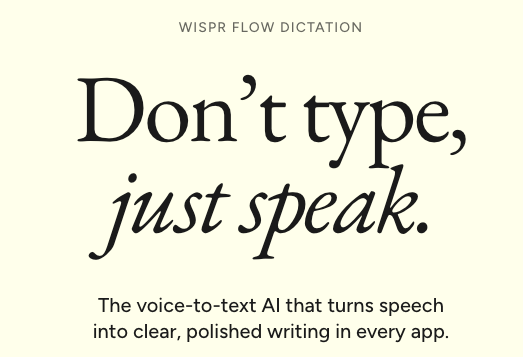
“Wispr Flow” is an AI-powered voice-to-text tool that turns spoken thoughts into clean, structured writing across your apps. Unlike basic dictation, it uses AI to clean up speech, remove filler words, add formatting and adapt to your vocabulary.
🚀 What Wispr Flow Does
- Voice-to-text everywhere: Works across apps including Gmail, Slack, Notion, Google Docs, code editors and AI tools such as ChatGPT.
- Smart cleanup: Removes filler words, false starts and repetitions while adding punctuation and formatting.
- Fast dictation: Wispr Flow says users can dictate at up to 220 words per minute, potentially making voice input several times faster than conventional typing.
- Personal vocabulary: Learns and remembers words, names and terminology that are specific to you.
- Snippets & shortcuts: Create reusable text shortcuts for things such as emails, links, bios and frequently used phrases.
- Multilingual: Supports 100+ languages, although performance can vary between languages.
- Cross-platform: Available on Mac, Windows, iPhone and Android.
🛠 How to Use Wispr Flow
- Download Flow and set it up on your device.
- Open any supported app and place your cursor where you want the text.
- Speak naturally. Flow converts your speech into polished, formatted text rather than simply reproducing every word.
- Personalize it with your vocabulary, snippets and preferences.
- Upgrade to Pro if you need unlimited dictation and additional features.
⚡ Why It’s Different
- Beyond basic transcription: Flow doesn’t simply convert speech to text; it interprets spoken language and cleans it up as it goes.
- Formatting on the fly: It can turn spoken instructions into paragraphs, lists and structured messages.
- Personalized writing: It adapts to words and terminology you commonly use.
- Works across platforms: Your voice-based workflow can follow you across desktop and mobile devices.
⚠️ Cons & Limitations
- Free-tier limits: The basic plan has a weekly word limit, while Pro offers unlimited dictation.
- Audio quality matters: Wispr recommends avoiding Bluetooth earbuds such as AirPods because audio compression can affect recognition.
- Some setup helps: Adding personal vocabulary and snippets can improve the experience for specialized workflows.
- Not a replacement for editing: AI-generated dictation can still require manual refinement, particularly for complex or highly precise writing.
Bottom line: Wispr Flow turns voice into more than transcription. Its real appeal is the ability to speak naturally and get writing-ready text back, making it particularly interesting for professionals, creators, developers and anyone who finds typing slower than thinking.
Image credit: WisprFlow